Once you've added your Teacher or Other Recommender to your 'Invite and Manage Recommenders' list, you'll need to assign them to a college so that the Common App knows to send that recommendation to that school. This lets you decide which colleges receive certain recommendations. Assigning a recommender to at least one college also generates the invitation email to be sent to the recommender.
To assign a Teacher or Other Recommender follow these steps.
1. Select the Recommenders and FERPA section of a school in My colleges.
2. Scroll down until you see the 'Teacher' or 'Other Recommender' section.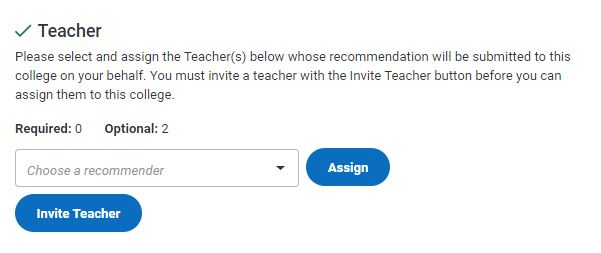
3. Click on the box to select the Teacher or Other Recommender you want to assign. Note that you may need to click 'Add Another' for optional recommendations
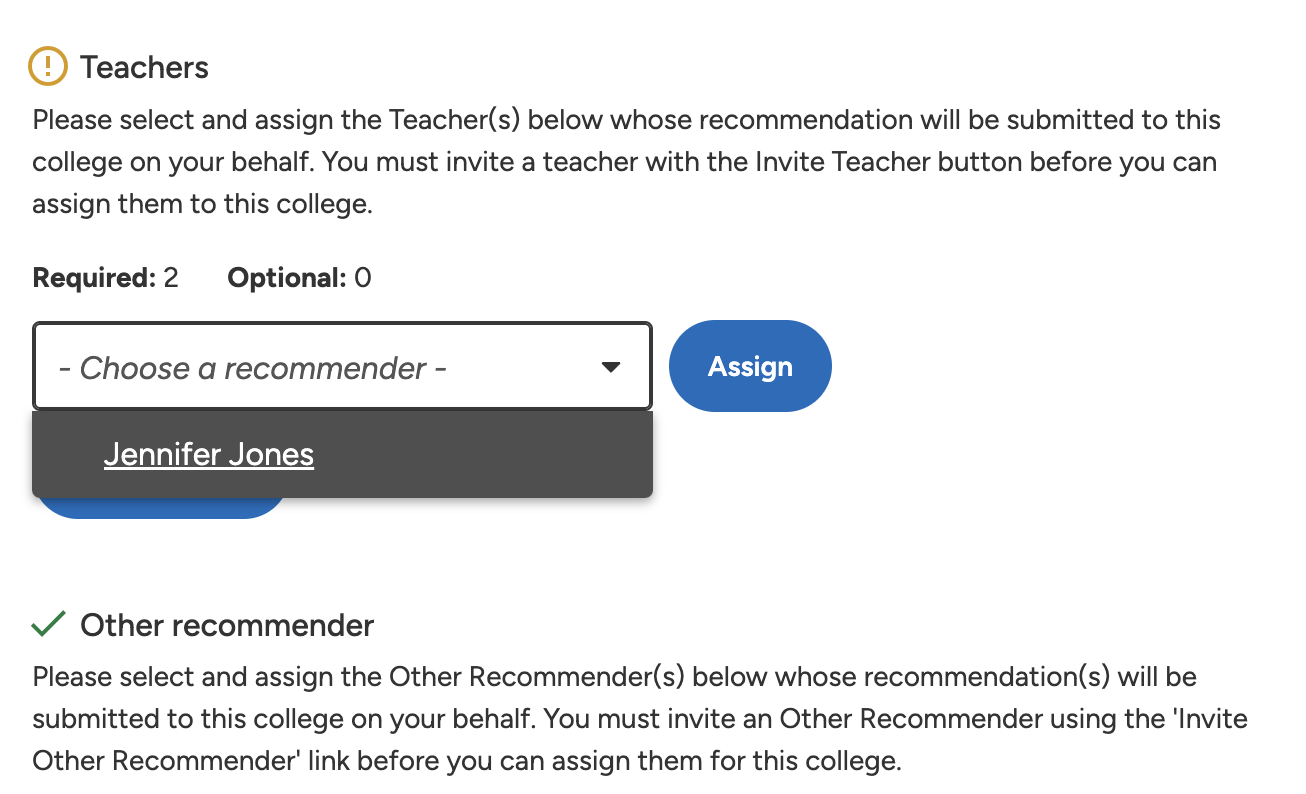
4. Select on the 'Assign' button to assign that recommender.
Congrats! Your recommender is now assigned. You'll need to repeat this assigning process for each of your schools and for each of your Teachers and Other Recommenders.